Cricut Custom Coloring Pages
Verified working Oct 7, 2026
Turns photos or prompts into printable coloring-page artwork.
Cricut’s Creative Labs tool converts uploaded photos or written ideas into custom coloring pages and stylized images. It is aimed at quick, print-ready creative projects rather than manual illustration or full graphic design workflows.
Why it stands out
- Focuses specifically on printable coloring pages instead of general-purpose image generation.
- Accepts both existing photos and original ideas, giving users two starting points.
- Designed around craft-friendly outputs, fitting naturally into Cricut-style making workflows.
- Emphasizes quick turnaround for users who need a finished printable rather than a complex editor.
Good to know
- Output appears focused on printable coloring pages and stylized images, not full-featured image editing.
- Results will likely depend on the clarity and suitability of the source photo or written idea.
- The page is Cricut-branded, so users outside the Cricut crafting ecosystem may not need the surrounding workflow.
Photos
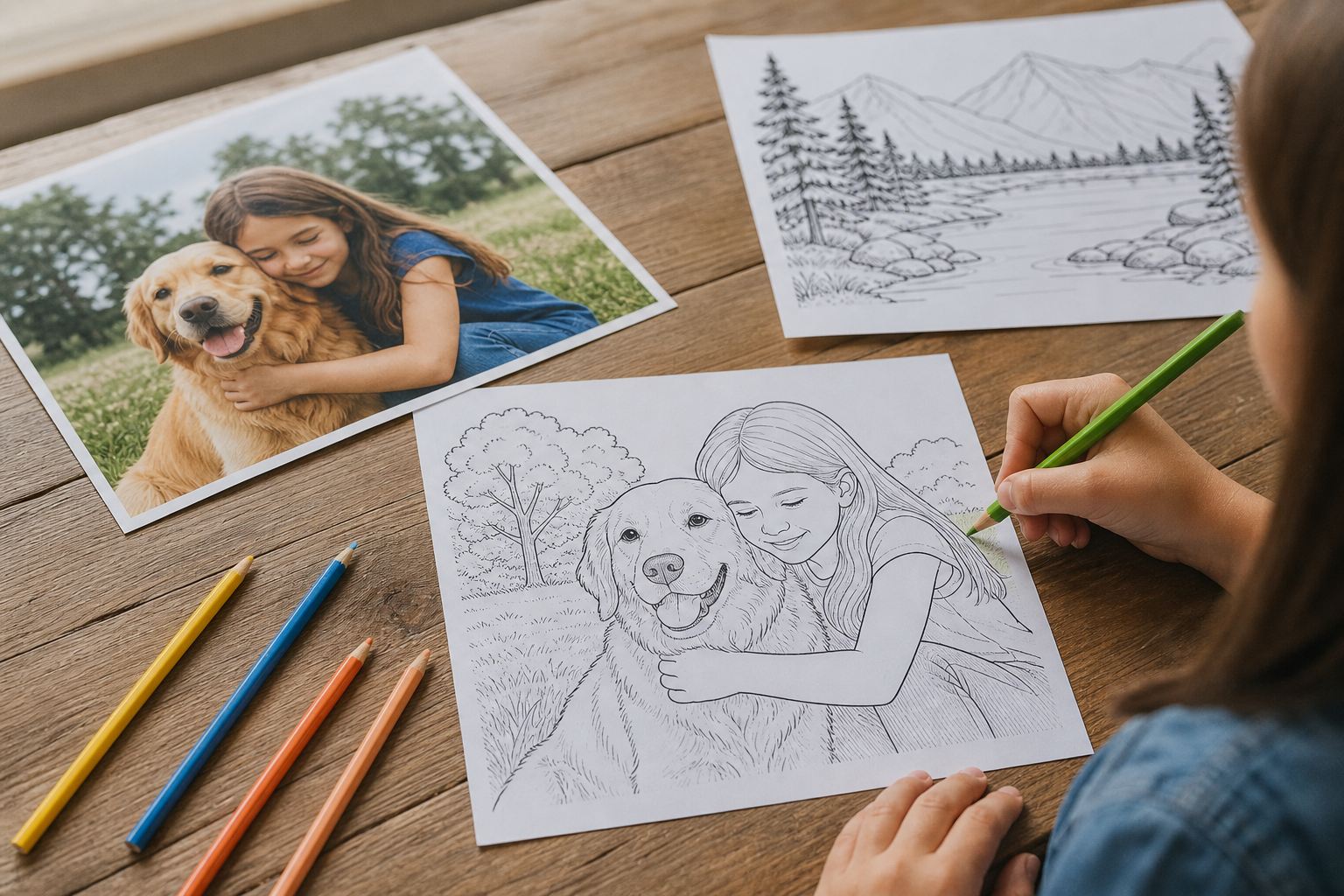
Parents, teachers, and crafters can quickly make personalized coloring sheets from family photos, pets, or themed ideas. Create a printable activity page for a classroom, party, or rainy-day project. Turn a favorite image into line-art-style artwork for coloring or craft use. Generate a stylized visual concept before printing or incorporating it into a Cricut project.
Photo-to-coloring-page conversion, idea-based image generation, stylized image outputs, and print-ready results designed for fast creative use.
Alternative listings
Original printable coloring pages with browser-based art puzzles.
EducationGoozle Studios offers a small collection of original line-art coloring pages that can be printed or downloaded for free. The site also includes online jigsaw-style puzzles based on its full-color artwork, with no account required and no ads on the site.
0 votesVisit siteTurns personal photos into printable AI-generated coloring sheets.
EducationiColoring AI’s image converter transforms uploaded photos into black-and-white coloring pages that can be downloaded for printing. It supports common image formats and offers several visual styles, including cartoon, sketch, and portrait-like line art.
0 votesVisit site
Similar sites elsewhere
- Mimi Panda — mimipanda.com
- ColorBliss — colorbliss.com
- ReallyColor — reallycolor.com
1 of 5